
New Look for IBM Planning Analytics for Microsoft Excel
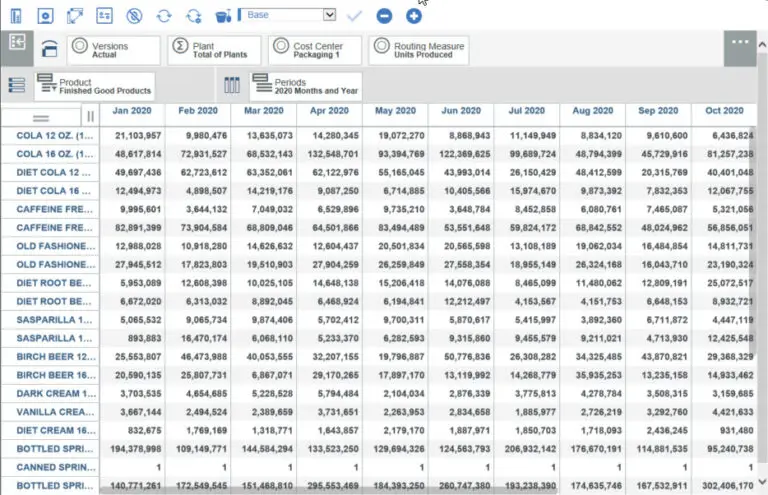
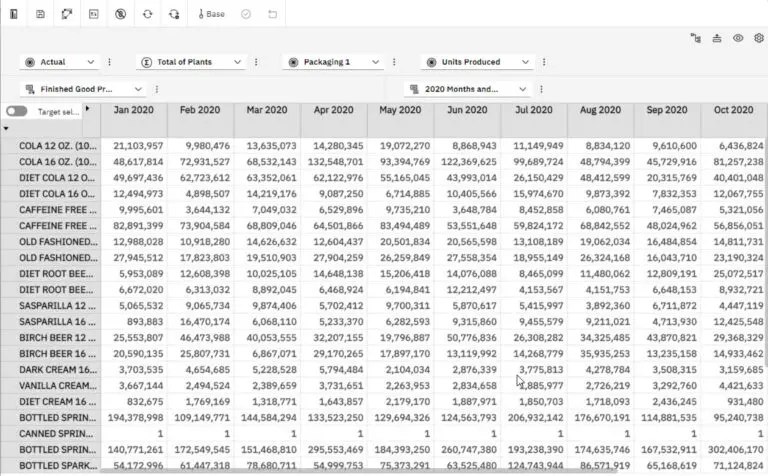
Did you know that in Planning Analytics for Excel (PAfE) there’s a new look and feel? IBM has upgraded the PAfE experience within the set editor, cube viewer, drill through, and content store to use Carbon Design principles to provide a consistent user experience.
You need to manually upgrade the setting in order to use the new user experience. The TM1Features.json file needs to be updated to enable the new experience.
Follow these instructions:
- Make sure Excel and Planning Analytics for Excel are closed
- Open File Explore
- Go to “C:Users<User ID>AppDataLocalCognosOffice Connection”
- Open tm1features.json or create text file called tm1features.json if it doesn’t existing in a text editor
- Add “{“EnableWebView2ForCarbon”: true}” to the file
- Save file
- Open PAfE within Excel
IBM link to new look components in Planning Analytics for Excel:
If you have any additional questions or need assistance, please contact ForQuest Solutions at [email protected]