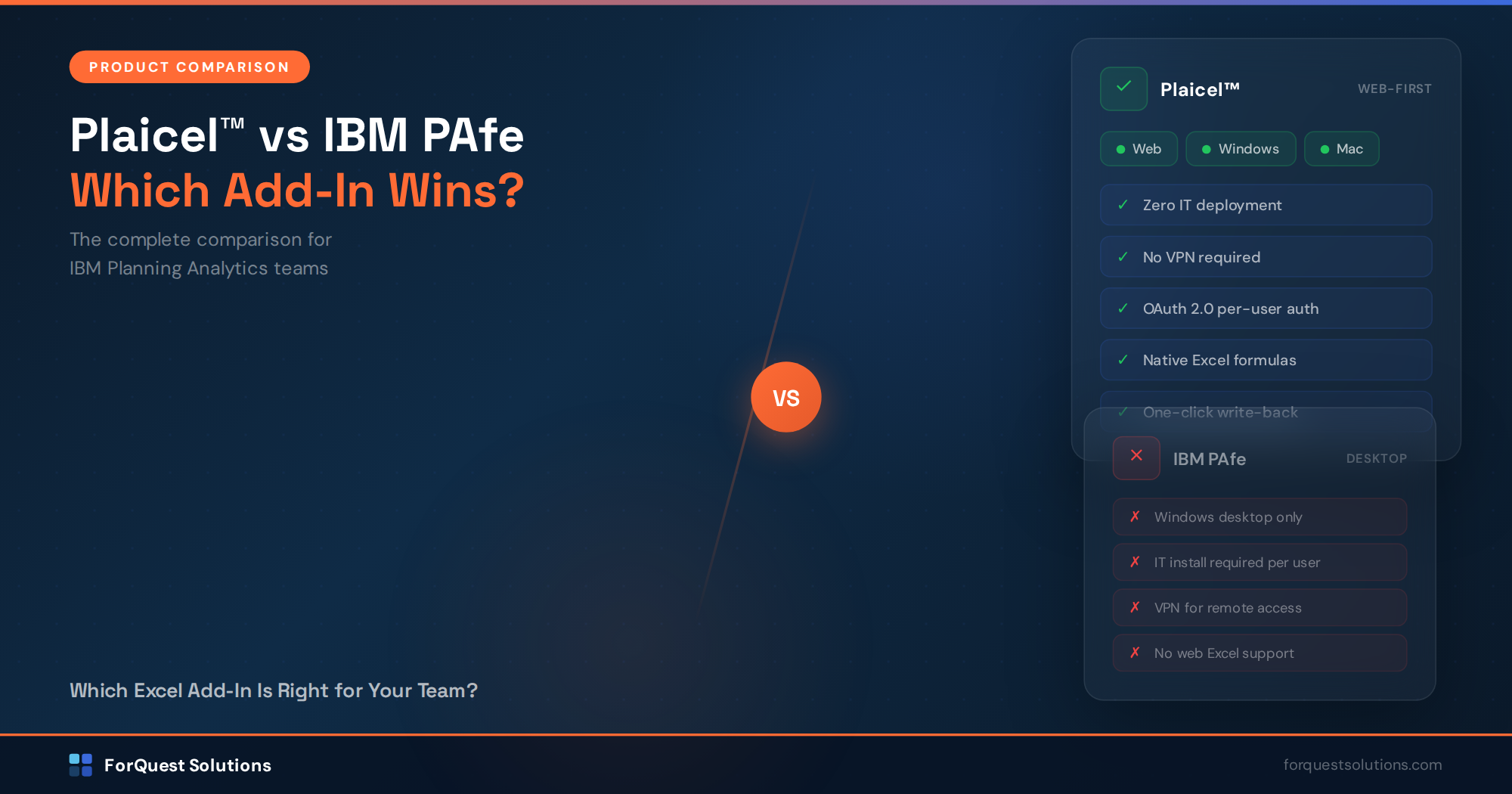
Plaicel™ is live on Microsoft AppSource - the only IBM Planning Analytics add-in that runs in Excel Web and works on Windows, Mac, and iPad.

How to Add a user in IBM Planning Analytics Workspace (PAW)

Do you know how to add a user in IBM Planning Analytics Workspace (PAW)?...
Add New User (PAW)

Do you know how to add a user in IBM Planning Analytics Workspace (PAW)? In this article, I will walk you through the detailed steps from the beginning to add a PAW user.  Additional steps are need to create

Select the “Administration” tile from the PAW home page.

From the Administration page select the “Users and Group” tile.

Select the Download users into a csv file.  This will create a file called “all-users.csv” with current PA users and properties.

Open the “all-users.csv” file from the downloads directory. Enter the information for the new user in the Excel file and save file.

Go back to the browser in Planning Analytics Workspace Administration -> User and Groups page.  Click the arrow to upload users from the “all-users.csv” in the download directory.

Click on “Drop your .csv file here or tap to browse”, select the “all-users.csv” file that you modified with new user(s).

Click “Import”

The new user “Scott Williams” has been added into PAW in the Analyst role.

Hopefully this was easy way to solve your problem and allowed you to update your PAW user security.
Related Articles

Rick Stevenson

IBM Planning Analytics Excel Add-In: Plaicel™ vs IBM PAfe

If your finance team runs on Excel — and let’s be honest, most do — then connecting Excel to IBM Planning Analytics is the single most impactful thing you can do for your planning process.

But which Excel add-in should you use? IBM offers its own solution (PAfe — Planning Analytics for Excel), and ForQuest Solutions has built Plaicel™, a web-based alternative designed to solve the problems PAfe wasn’t built to handle.
This post breaks down the real differences so you can make an informed decision.

Read More »

Connect Excel to IBM Planning Analytics - Free for 30 Days

No installation. No migration. No retraining. Your team keeps working in Excel while Plaicel™ syncs live to TM1.

Then 50% off your first year. From $24.99/user/mo*

*billed annually

Free for 30 days · No credit card required