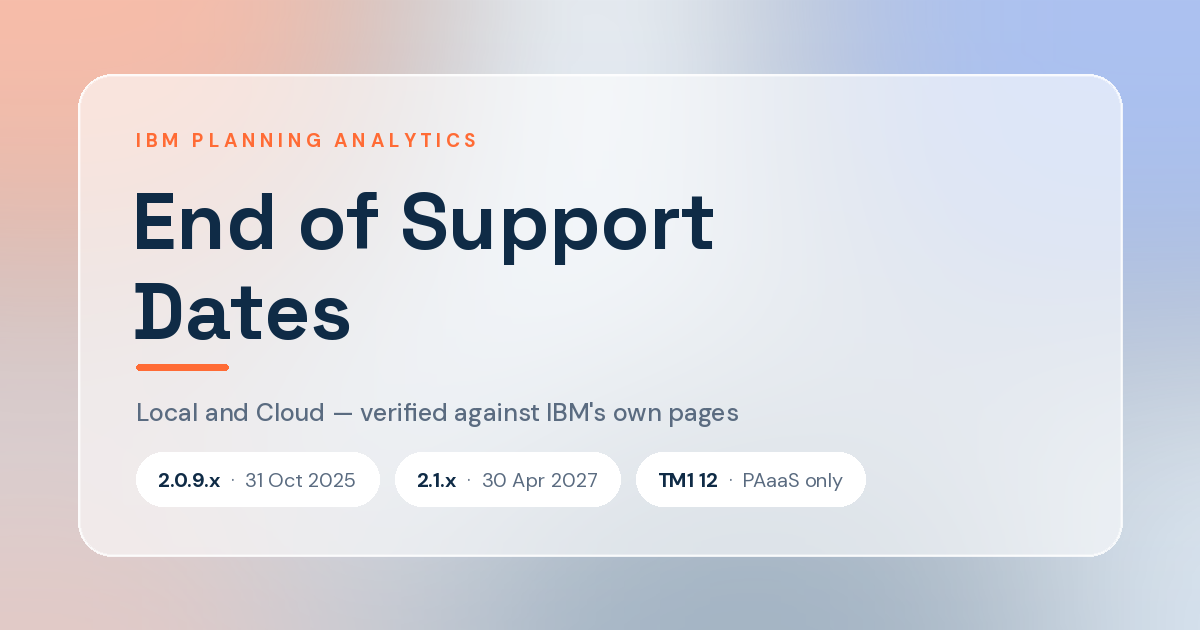

Every TM1 shop I talk to has a different answer on Planning Analytics end of support dates. That’s understandable — the 2.0.9 timeline was extended in response to customer feedback, and most summaries only cover Local. Here’s the current picture for Local and Cloud in one place.
Why the dates moved
IBM originally set Planning Analytics 2.0.9 end of support at 30 April 2025.
In November 2024, after customers raised concerns about the migration timeline, IBM extended general support to 31 October 2025 and confirmed 2.1.x through 30 April 2027.
If you’re working from an older summary, you may still see the April 2025 date. The current position is below.
Planning Analytics Local end of support dates
| Version | Standard support ends | Extended support | Engine |
|---|---|---|---|
| 2.0 – 2.0.7 | 30 Apr 2022 | — | TM1 11 |
| 2.0.8 | 30 Sep 2022 | — | TM1 11 |
| 2.0.9.x | 31 Oct 2025 | To 31 Oct 2029 | TM1 11 |
| 2.1.x | 30 Apr 2027 | Not published | TM1 11 |
| 3.1 Local (non-containerized) | Technical preview — no official support | — | TM1 12 |
Extended support is not four more years of what you have now. It’s critical fixes for year one, then usage and known-defect support for three years.
Planning Analytics Cloud – different rules entirely
IBM’s lifecycle page states directly that it does not apply to Planning Analytics on Cloud. There are no published end-of-support dates for the hosted offerings.
| Offering | Engine | How versioning works |
|---|---|---|
| Planning Analytics as a Service (PAaaS) | TM1 12 | IBM-managed SaaS. No customer version decision |
| Planning Analytics on Cloud (IBM-hosted) | TM1 11 | You schedule the upgrade through IBM support |
| Certified Containers 3.1 | TM1 12 | Customer-operated on their container platform |
| Third-party hosted (AWS/Azure) | TM1 11 | Contractually PA Local — Local dates apply |
IBM’s guidance for the hosted path is to schedule through support, upgrade non-production first, test for a few weeks, then book production.
What’s gone, and where
| Component | Status |
|---|---|
| TM1 Architect | Not in 2.1.x · cannot connect to TM1 12 |
| TM1 Perspectives | Not in 2.1.x · cannot connect to TM1 12 |
| TM1 Applications (Contributor) | Not in 2.1.x |
| Performance Modeler | Not in 2.1.x |
| C, Java and .NET APIs | Not supported in TM1 12 |
| Java TurboIntegrator functions | Not available in TM1 12 |
| Replication and synchronization | Unsupported in TM1 12 |
The distinction most people get wrong
Moving 2.0 to 2.1 is an upgrade. Moving TM1 11 to TM1 12 is a migration. IBM ships a TM1 Database 12 Migration Utility, but with the APIs and legacy clients gone, treat it as a platform migration rather than a patch.
And there is currently no supported in-place path from Local 2.1 to TM1 12 on Windows. TM1 12 ships on PAaaS, on Certified Containers 3.1, and through Cloud Pak Software Hub. Local 2.1 stays on TM1 11.
What actually breaks
Not your reports, mostly. Sliced reports become Custom Reports, Active Forms become Dynamic Reports, and most Perspectives content converts without hand-editing.
What breaks is the client. Architect, Perspectives, TM1 Applications and Performance Modeler are gone and cannot reach TM1 12. Your modelers and your Excel users move to something else regardless of which path you take — and that retraining is the line item people forget to budget.
Before you plan anything
Check the dates against IBM’s lifecycle pages yourself and get your rep to confirm in writing. They’ve moved twice, the documentation lagged both times, and this table could be stale by the time you read it.